> For the complete documentation index, see [llms.txt](https://docs.b2ihealthcare.com/snow-owl-authoring-platform/llms.txt). Markdown versions of documentation pages are available by appending `.md` to page URLs; this page is available as [Markdown](https://docs.b2ihealthcare.com/snow-owl-authoring-platform/browsing-and-searching/searching/advanced-search/search-dialog.md). Agents can also search and read this documentation through its [MCP server](https://docs.b2ihealthcare.com/snow-owl-authoring-platform/~gitbook/mcp).
# Search Dialog
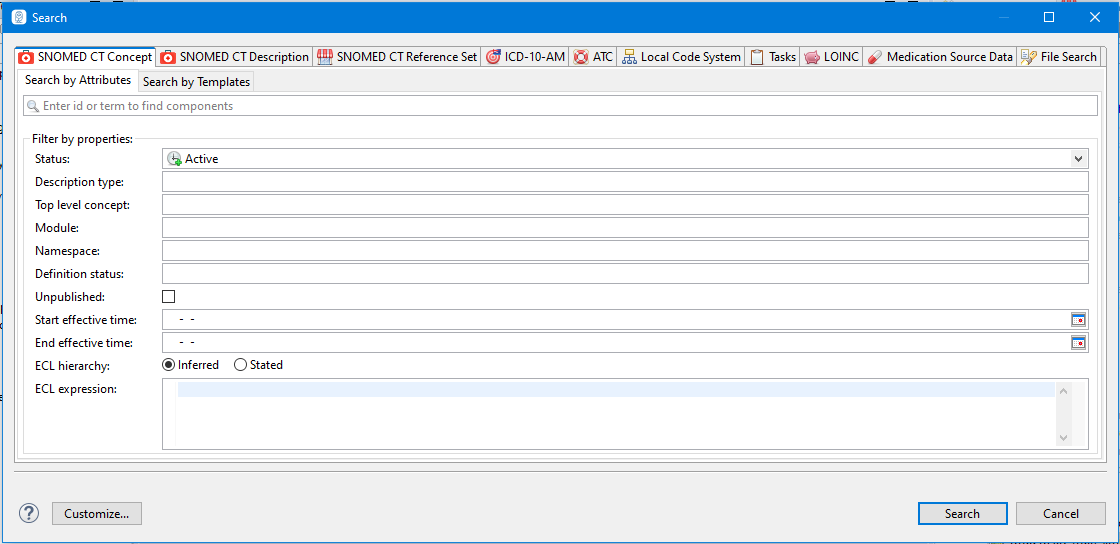
The Advanced Search Dialog can be invoked by clicking on the **`Search`** button in the main toolbar, or from the main menu `Search > Search...`. The upper section consists of tabs that are used to navigate to the respective search dialogs:
* SNOMED CT Concept Search
* Search by Attributes
* Search by Templates
* SNOMED CT Description Search
* SNOMED CT Reference Set Search
* ICD-10-UK -AM, -CM Search
* ATC Search
* Local Code System Search
* Task
* OPCS-4/LOINC/NICIP
* Medication Source Data
* File Search
Advanced Search Dialog
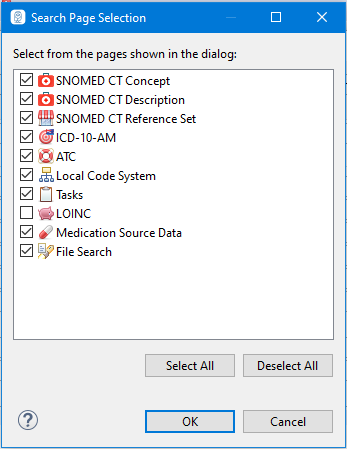
If you want to show fewer tabs, click on **`Customize...`** and deselect the ones you do not want to display.